How to test voice in the editor
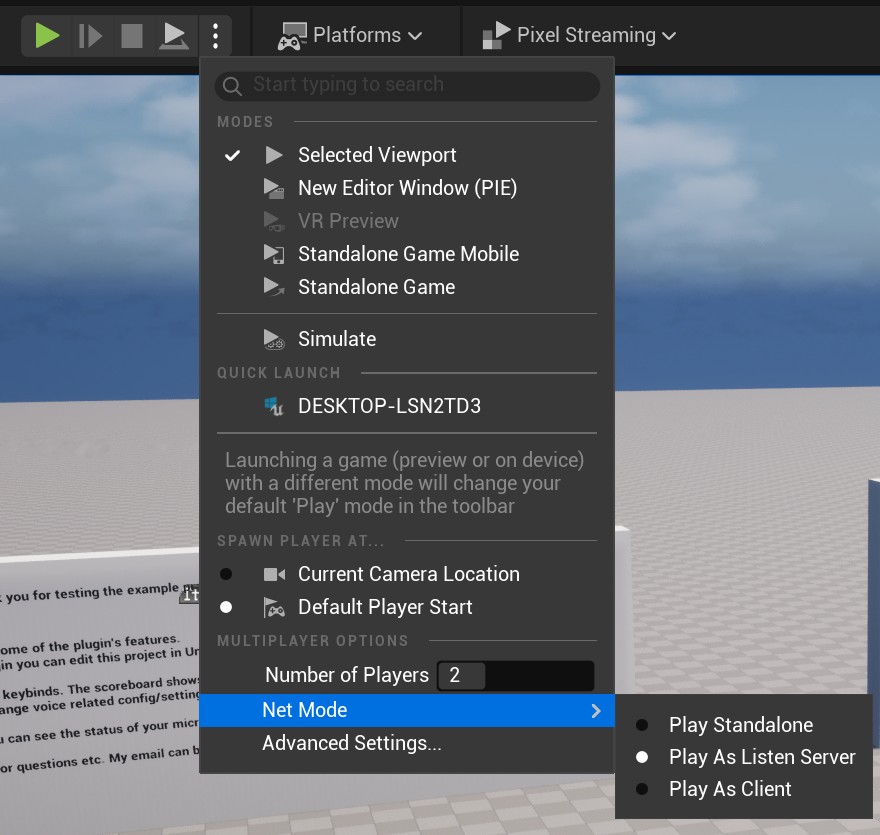
With two PIE sessions, voice can be tested in the editor. Add a key binding in your blueprints to enable voice capture. (See the last section). Set the number of players to 2 and the net mode to “Play As Listen Server”. Then just hit the green play button to start the sessions. Now you will have two “session windows”. In one of them, enable voice capture, then switch to the second window. The voice of the other player can now be heard when you are near them.
To hear your own voice in the same window captured by your microphone, enable loopback with voice.loopback 1. Disable it again with voice.loopback 0.