Custom player nameplate widgets
Go to Edit -> Project Settings -> Onset VoIP Settings -> Nameplate -> Default Nameplate Widget Assign your custom widget here.

Talking state and player name in a nameplate widget.
Add the interface class UOnsetVoipNameWidgetInterface to your widget. In your widget Blueprint, click on Class Settings, then go to the Details panel and scroll down to Interfaces.

Under Implemented Interfaces add OnsetVoipNameWidgetInterface.
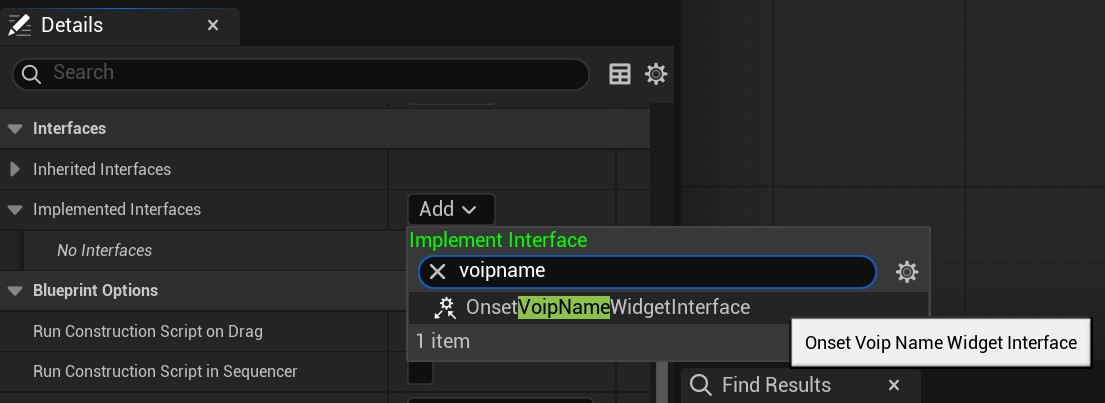
Now the interface functions can be implemented inside the widget blueprint.
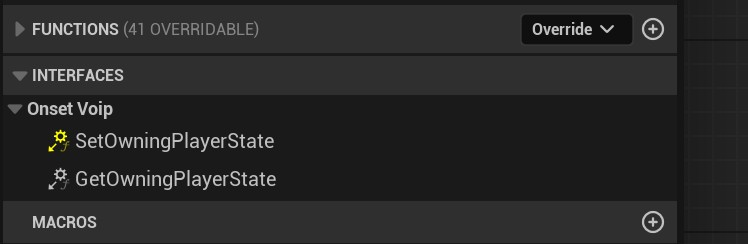
SetOwningPlayerState will be called when a player possesses a pawn. Save the player state in your widget blueprint. Now you have the correct player state for this nameplate that you can use to get player names or talking states.
GetOwningPlayerState is a helper function. Implement it and return the player state variable that you used to save it in SetOwningPlayerState.
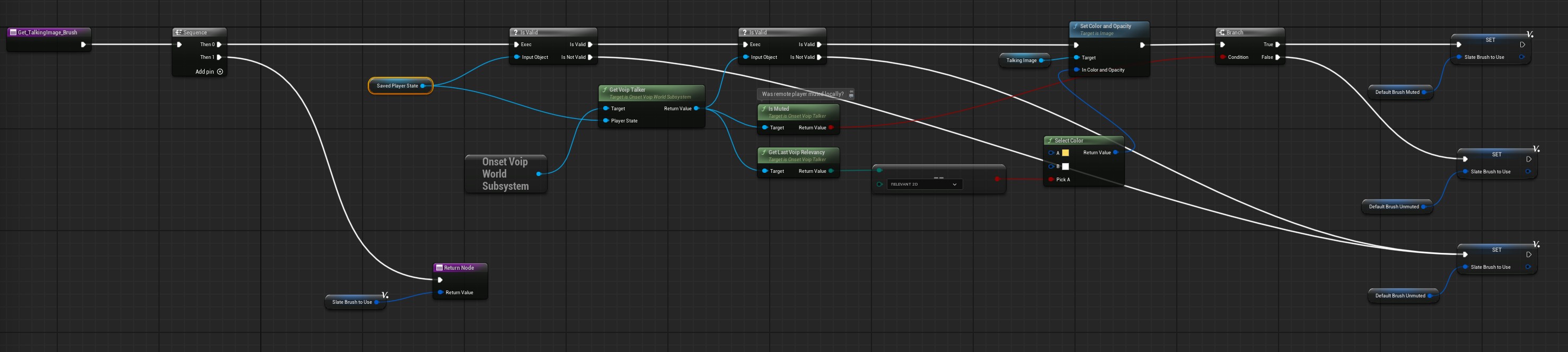
Refer to the default nameplate widget WBP_Nameplate that ships in the plugin's content folder.