Recording microphone and remote player voice to files
To record the local player's microphone, use the following functions.
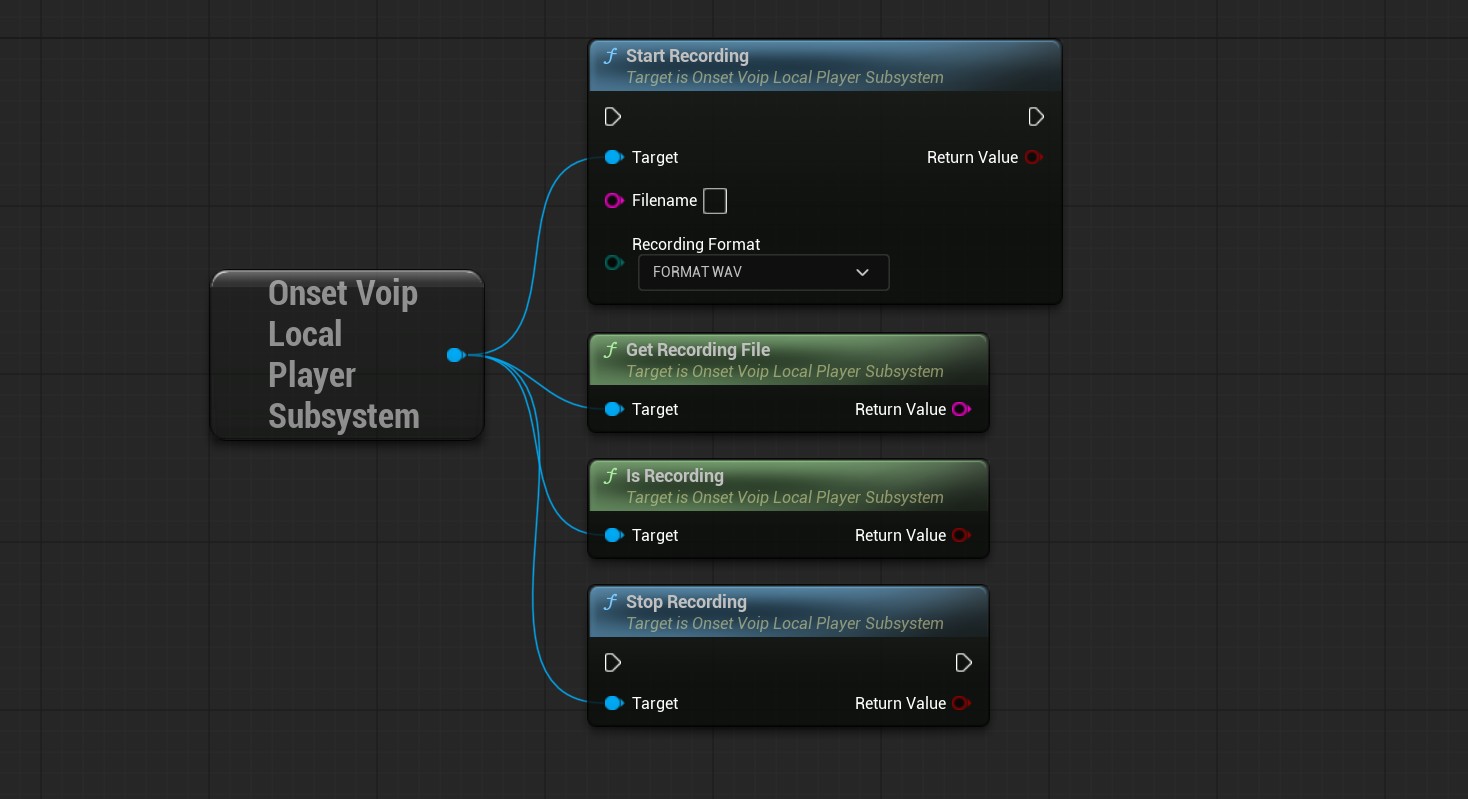
StartRecording
Starts recording microphone input. You can provide a filename or leave it empty. If you leave it empty, the recording will be saved in your project's Saved/ directory under VoipRecording with the correct file extension.
If you leave the Filename parameter empty, use GetRecordingFile before the recording stops to get the output path.
Recording supports PCM, WAV, and MP3. PCM stores raw signed 16-bit data. Such files can be opened with programs like Audacity (File -> Import -> Raw Data). I recommend WAV in most cases. MP3 requires FFmpeg to be configured.
Sample rate is 24 kHz and the channel count is 1 (mono).
StopRecording
Stops an active recording.
IsRecording
Returns true if currently recording.
GetRecordingFile
Returns the output path for the recorded audio.
The console command voice.record.local uses the same functions described above. Its source code also shows how to use the recording system in C++ without the pre-made recording functions.
To record remote players or talkers to audio files, use the following functions.
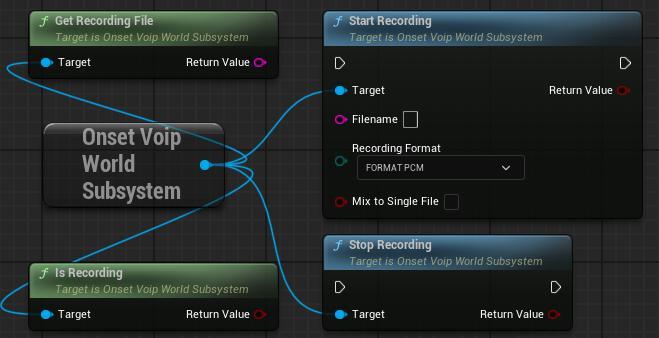
These functions behave like the recording functions explained above for the local microphone recording.
By default, each UOnsetVoipTalker is recorded to a separate file. Therefore, GetRecordingFile will return the directory rather than the file.
To record all talkers to a single file, set the Mix to Single File flag to true.
This will mix all recorded talker audio down to a single output file. This flag is still experimental and may have some side effects like fluctuations in volume.
The console command voice.record.remote uses the same functions described above. Its source code also shows how to use the recording system in C++ without the pre-made recording functions.