Configuring and using FFmpeg for MP3 audio recordings
FFmpeg is only needed if you require MP3 recordings.
The plugin will try to find the ffmpeg binary in the following order:
- Command line argument
-FFmpegPath= - Environment variable
FFMPEG - Environment variable
FFMPEG_PATH - Edit -> Project Settings -> Onset VoIP Settings -> Advanced -> FFmpeg Path
Go to:
Edit -> Project Settings -> Onset VoIP Settings -> Advanced -> FFmpeg Path

Set the path to the folder that contains the ffmpeg(.exe) binary.
This can be a relative or absolute path. To package your project with ffmpeg, set a relative path to your Content directory like in the image above.
Then add the ffmpeg folder to be included in your packaged build under:
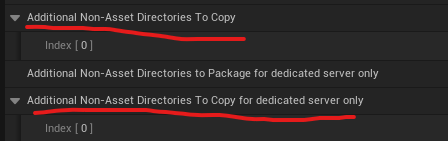
Edit -> Project Settings -> Project -> Packaging -> Additional Non-Asset Directories To Copy
If you only require ffmpeg for recording on dedicated servers, you can use:
Additional Non-Asset Directories To Copy for dedicated server only
After setup, audio recording supports MP3.
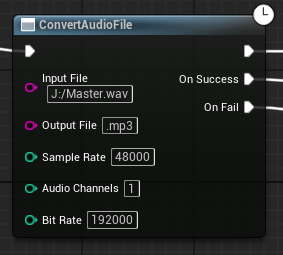
There is also another node to convert any audio file to another codec.