Logging & Console Commands
The plugin implements the logging category named LogOnsetVoip. By default, LogOnsetVoip logs messages at Log level and above. To enable logging of lower-level functionality, such as sending packets, you can set the verbosity to Verbose or VeryVerbose.
In the Unreal console, type the following command with Verbose or VeryVerbose at the end.
Log LogOnsetVoip Verbose
The log category named LogOnsetVoipPacket logs messages related to serialization of the FOnsetVoipPacket data struct.
The log category named LogOnsetAudioCapture logs messages related to the microphone/audio capture pipeline, including capture backend selection, device initialization, start/stop events, device changes, capture interruptions, ring buffer overflows, and capture processing warnings.
Log LogOnsetAudioCapture Verbose
To have the logging verbosity saved between editor restarts or in development builds, you can configure the log categories in your DefaultEngine.ini:
[Core.Log]
LogOnsetVoip=VeryVerbose
LogOnsetVoipPacket=VeryVerbose
LogOnsetAudioCapture=Verbose
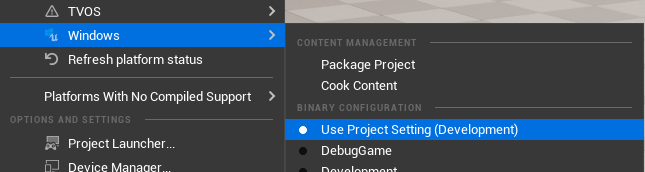
In packaged builds, Unreal does not log in Shipping mode. To still get logs, package as Development.
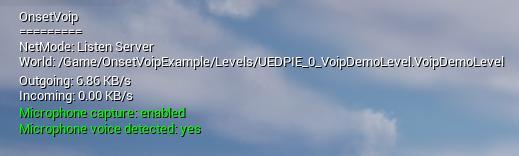
The console command stat voip prints useful information about the VoIP system.
NetMode: Net mode of the current world.- World: The path name of the current level.
- Outgoing/Incoming: Average kilobytes being sent and received per second.
- Microphone capture: enabled if local player is capturing voice.
- Microphone voice detected: “yes” if voice is detected/recorded through the microphone.
- Any remote player currently speaking.